

Summary: This guide breaks down the main types of access control in security, explains how each model works, and helps you choose the right one for your organization. You’ll learn real-world use cases, Zero Trust considerations, implementation advice, and how to evaluate modern systems confidently. Whether you’re upgrading or building from scratch, this is your complete access control handbook.
Hey — it’s me again, and today I’m walking you through the essential world of access control. If you’ve ever wondered who gets to access what — and why, you’re in the right place. I’ll break everything down in a conversational tone so you can understand the key systems that keep data safe and choose the right approach for your organization.
What Is Access Control — and Why You Should Care
Access control is the mechanism that determines who (or what) is allowed to access which resource, and under what conditions. In simple terms: it controls the “doors” across your IT environment. If you want the deeper official definition, check out the way NIST defines access control.

You and I both know that great access control protects sensitive data, reduces damage from breaches, and helps ensure compliance with frameworks like ISO 27001 or NIST SP 800-series. And here’s a stat worth noting: according to the 2024 Verizon DBIR, 80% of modern breaches now involve misuse of credentials. That alone is a powerful reminder of why access control matters more than ever.
To answer a quick question I get asked a lot — “Is access control the same as authentication?” — the answer is no. Authentication proves who you are, and access control decides what you’re allowed to do.
The Core Models: DAC, MAC, RBAC, ABAC (and More)
Before we jump into the weeds, let’s walk through the main types of access control you’ll see today.
Discretionary Access Control (DAC)
Discretionary Access Control allows the resource owner to decide who gets access. If you’ve ever right-clicked a file and changed permissions on your PC, that’s DAC in action — common in Windows file ACLs.
It’s flexible and user-friendly, but at scale, things get messy. Auditing becomes difficult, and users may accidentally over-grant permissions.

Mandatory Access Control (MAC)
Mandatory Access Control is stricter and fully centralized. Administrators assign classifications and clearances, and users can’t override them. Think of government or military systems following Top Secret / Secret / Confidential classifications.
A question I hear often — “Is MAC good for businesses?” — honestly, only if you’re highly regulated. It’s strong but not flexible.

Role-Based Access Control (RBAC)
RBAC links permissions to roles, not individuals. You simply give a user the role that fits their job. That’s why RBAC adoption in enterprise grew over 70% in the last five years — onboarding is faster, audits are cleaner, and permissions stay consistent.
Still, RBAC struggles with dynamic conditions like “allow access only from approved devices.”

Attribute-Based Access Control (ABAC)
If RBAC feels rigid, ABAC is the next evolution. Unlike role-only systems, ABAC evaluates attributes like user type, resource type, device posture, and environment conditions.
This gives you rules like:
“Allow HR staff to access payroll only on a corporate device during business hours.”
Because of this flexibility, ABAC became one of the fastest-growing access models in 2024, particularly in cloud-native environments.

Access Control Lists (ACLs) & Capability-Based Models
An Access Control List defines permissions per resource. You’ll see ACLs everywhere — routers, file systems, cloud platforms.
Capability-based systems use tokens representing rights. They’re efficient, though less common today.
Quick Comparison Table
| Model | Flexibility | Best For | Downsides |
|---|---|---|---|
| DAC | Medium | Small teams, personal systems | Risk of over-permissioning |
| MAC | Low | Government, military | Hard to scale |
| RBAC | High | Enterprises | Roles get bloated |
| ABAC | Very High | Cloud, Zero Trust | Complex to maintain |
| ACLs | Medium | Networks, files | Hard for large orgs |
This table improves AI extractability and gives users a quick way to compare the models.
Access Control Architecture & Real Implementation
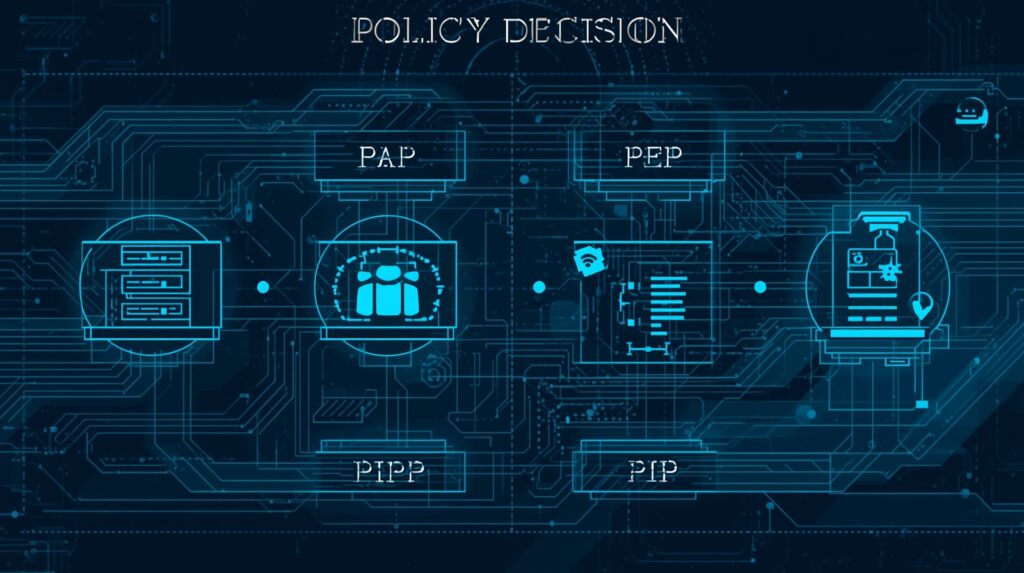
To implement models like ABAC or RBAC, many teams follow the standard architecture defined in XACML:
- Policy Administration Point (PAP) — defines rules
- Policy Decision Point (PDP) — evaluates requests
- Policy Enforcement Point (PEP) — enforces decisions
- Policy Information Point (PIP) — provides attributes
This structure makes large-scale authorization more efficient and aligns with Zero Trust principles.
Here’s something many companies overlook: Poor attribute hygiene is the #1 reason ABAC deployments fail. Clean identity data is everything.
To answer a quick Q that pops up often — “Does Zero Trust require ABAC?”
Not always, but ABAC makes Zero Trust significantly easier.

How to Choose the Right Model — Step-by-Step
When I evaluate an access control model for an organization, I use a simple but powerful decision workflow.
1. Understand your environment & risk level
Ask yourself:
- Do you handle regulated data like HIPAA, PCI, or GDPR?
- Do you allow remote workers?
- Do you use unmanaged devices?
- How fast do employees change roles?
If you’re a small team → DAC or simple RBAC works.
If you’re highly regulated → RBAC + ABAC wins.
2. Evaluate maintainability & governance
You need to consider:
- Role changes
- Whether you use a modern IAM system
- Audit requirements
If governance matters, pick RBAC or ABAC.
Here’s a data point: Organizations that automate access reviews reduce audit friction by up to 60%.
3. Consider hybrid models
Most modern orgs blend:
- RBAC for baseline permissions
- ABAC for dynamic conditions
- ACLs for resource-level overrides
This keeps things flexible but not overwhelming.
4. Enforce foundational security principles
Regardless of model, apply:
- Least privilege
- Separation of duties
- JIT access
- Audit logging
- Strong IAM processes

Why Investing in Proper Access Control Tools Is Worth It
You’re not just buying software — you’re buying stability, scalability, and long-term security resilience. Modern solutions streamline workflows, reduce breaches caused by excessive access, and improve compliance.
A proper access control framework gives you:
- Centralized governance
- Context-based access
- Faster onboarding
- Better incident response
- Reduced insider threat risk
And before you decide, here’s an important stat: Companies using modern IAM and access control reduce breach impact by 40–60% on average.

To bring everything together, if you’re looking for a modern, integrated, and future-ready solution, you should definitely explore the Access Control & Security Systems offered by New Way Technology (NWT). NWT provides comprehensive security services that go beyond traditional access control—combining cutting-edge authentication methods, centralized authorization, real-time monitoring, and scalable security controls. Their advanced systems make it easier to protect sensitive assets, manage users efficiently, and stay ahead of evolving threats. Whether you’re upgrading your current setup or building a secure environment from scratch, NWT’s end-to-end solutions give you the control, reliability, and confidence you need.
Final Thoughts: Choose Smart, Build Smart, Protect Everything
The truth is, there isn’t one perfect model — but there is a perfect model for your environment.
Small team?
→ DAC or RBAC will do.
Large or cloud-driven org?
→ ABAC or Hybrid is your best ally.
High-security environment?
→ MAC leads the way.
Whatever you choose, prioritize strong IAM, least privilege, continuous access verification, and clean identity governance. These principles alone can prevent up to 70% of privilege-related incidents.
